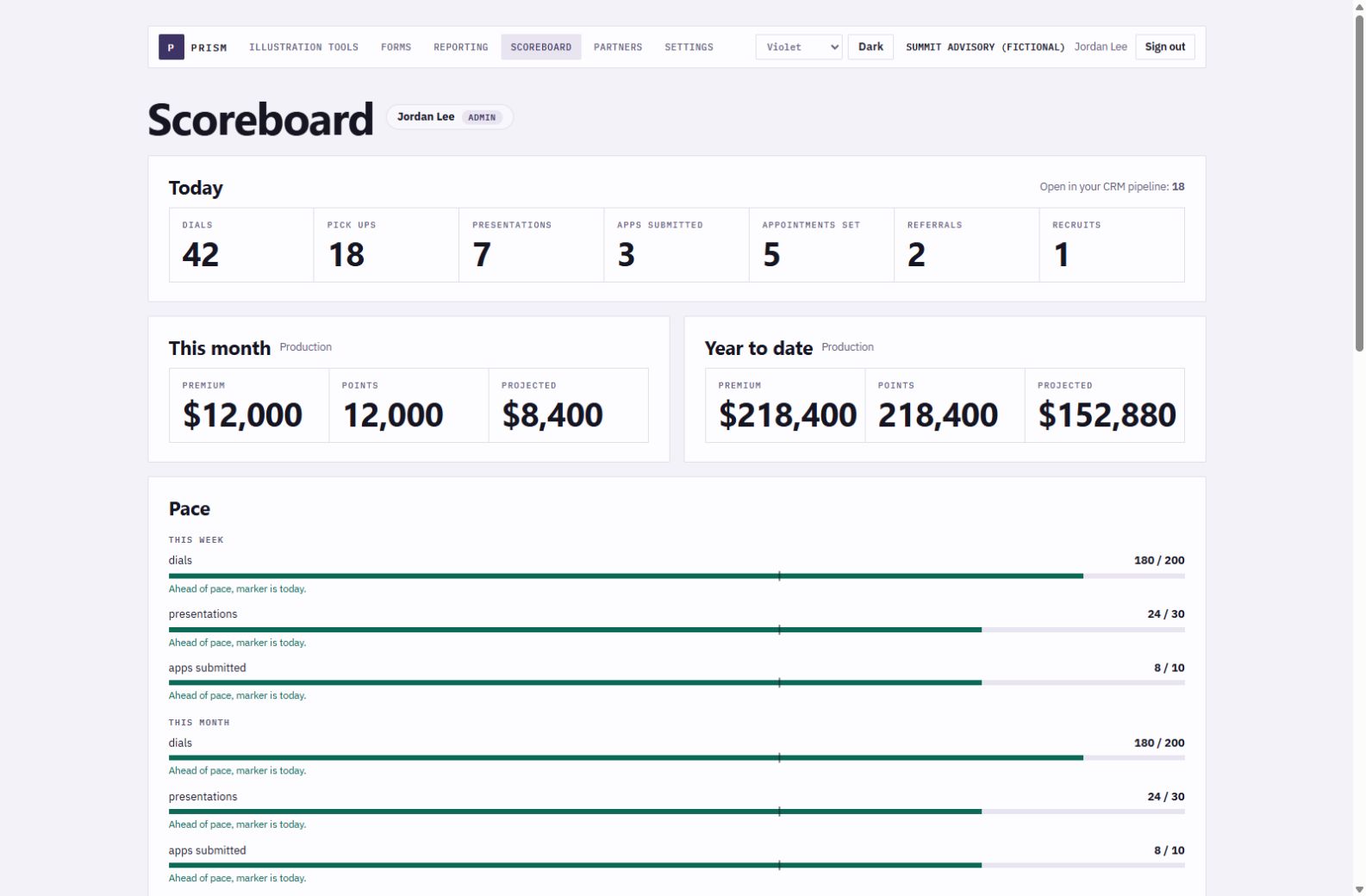
Scoreboard
Activity, goals, pace, and team visibility.
Track dials, pickups, presentations, applications, appointments, referrals, and recruits. Set weekly and monthly goals, then see production beside activity.
Included in every Elite Life CRM account
Review a household. Compare carrier numbers. Save the intake to the right agent and CRM record. Prism connects the client conversation to the work your agency does next.
Prism is included. Guided setup connects your account, people and process.
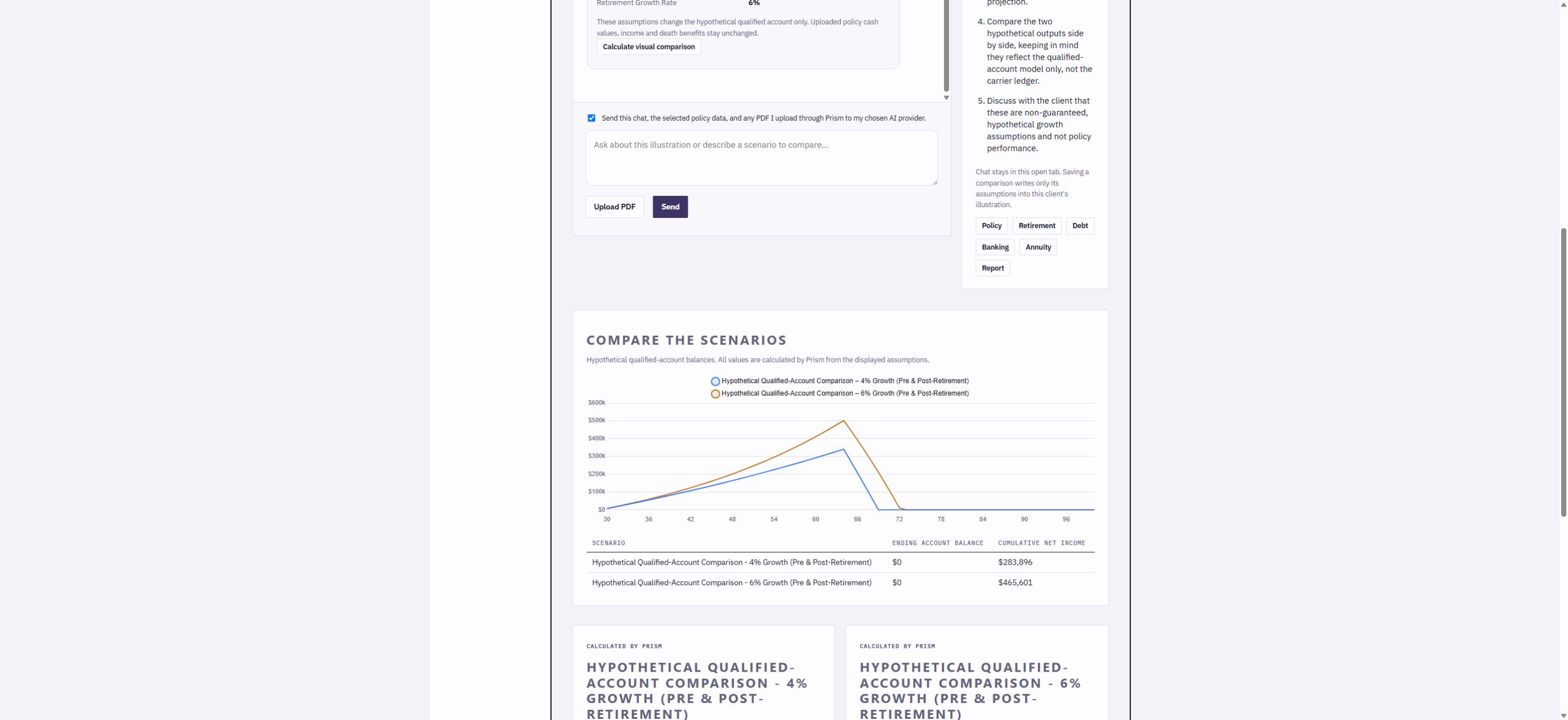
Actual Prism calculation with synthetic example data. Hypothetical assumptions, not a carrier quote.
One launcher
Prism runs inside the CRM, uses the signed-in user's identity, and scopes what they can see. Admins see the team. Agents see their own work.
Scoreboard
Track dials, pickups, presentations, applications, appointments, referrals, and recruits. Set weekly and monthly goals, then see production beside activity.
Reporting
Monthly and year-to-date premium, points, projected commission, carrier, product, status, and agent rollups. Commission is always labeled projected.
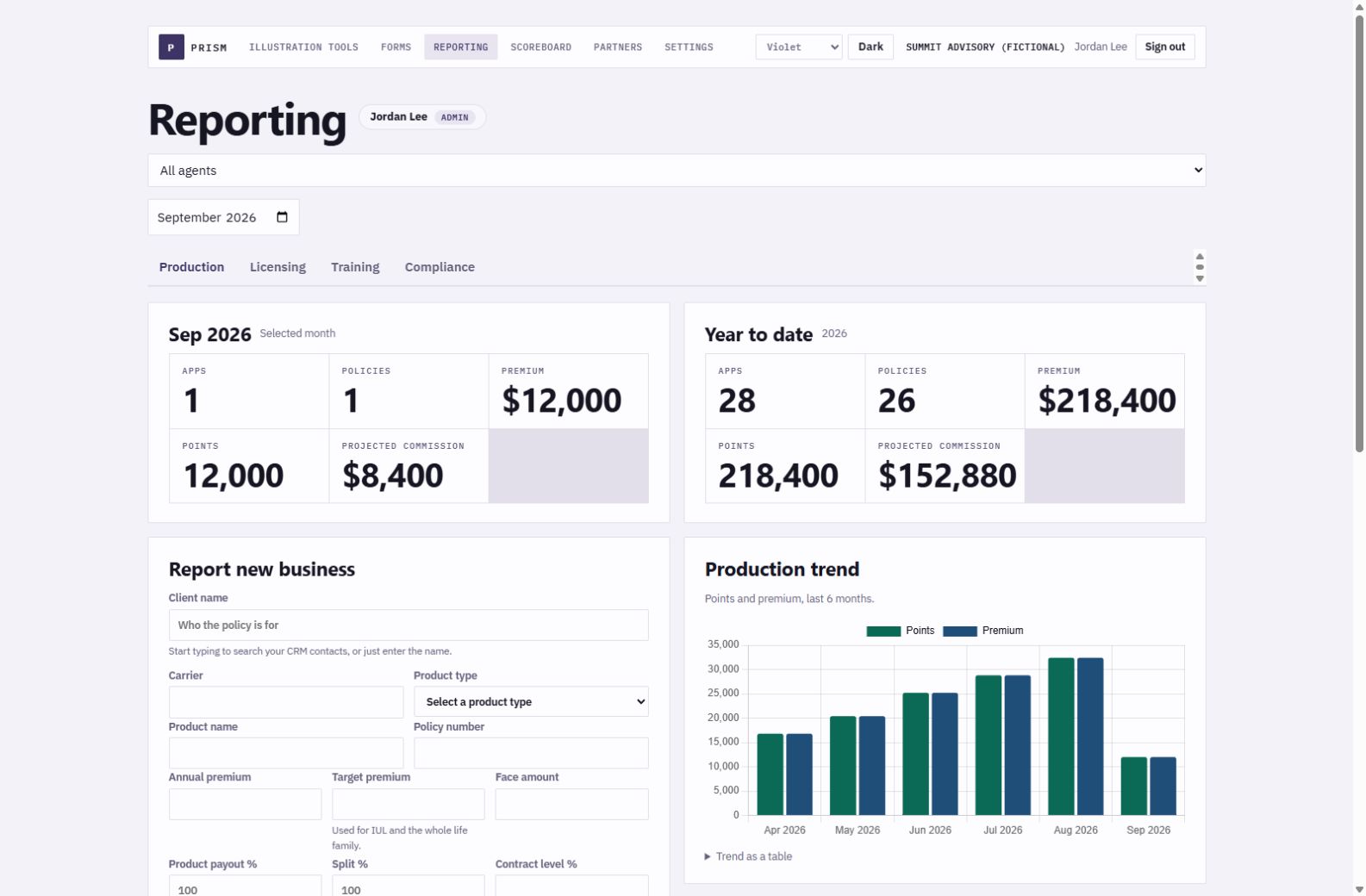
Filter production by period, status, product, carrier, and agent, then export the view when needed.
Forms
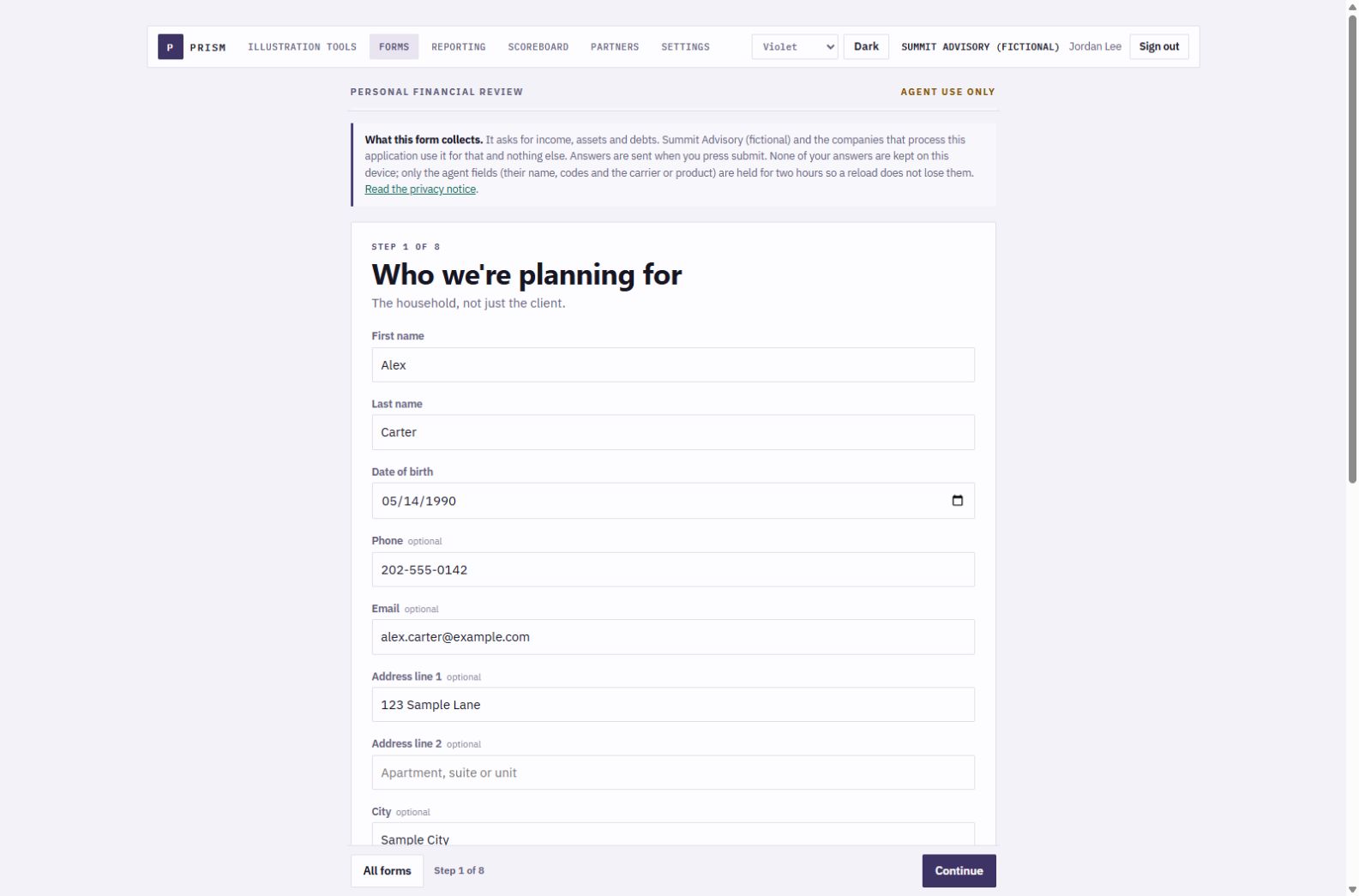
Financial needs analysis, life intake, annuity intake, and new-agent intake, with conditional fields, repeating people and policies, consent capture, and resumable drafts.
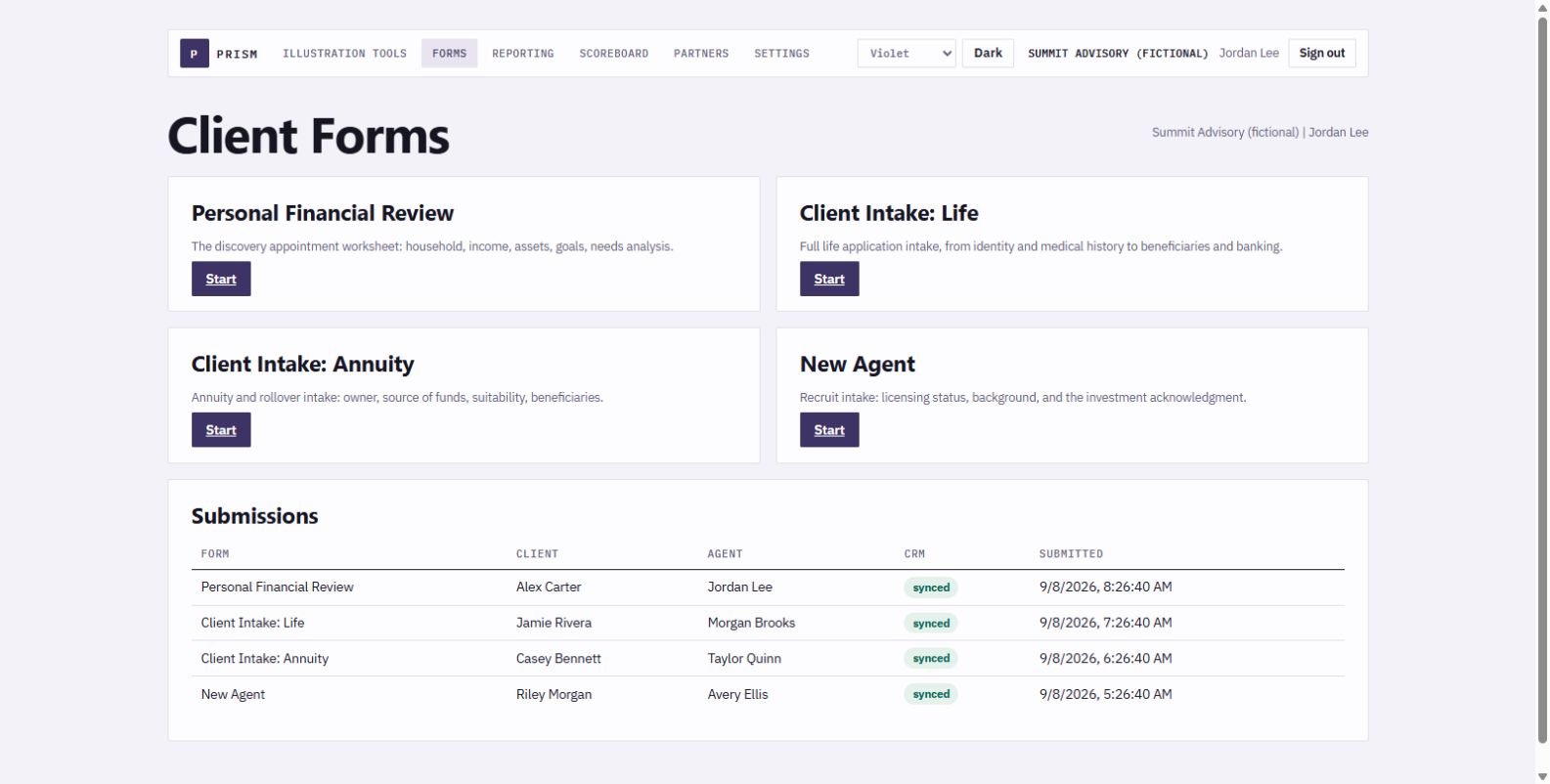
Current authenticated launcher with the four connected intake paths.
Illustration Tools
Import supported carrier illustrations, review the mapped values and compare retirement, debt, banking or annuity scenarios with explicit assumptions. Save a private workspace for the next conversation.
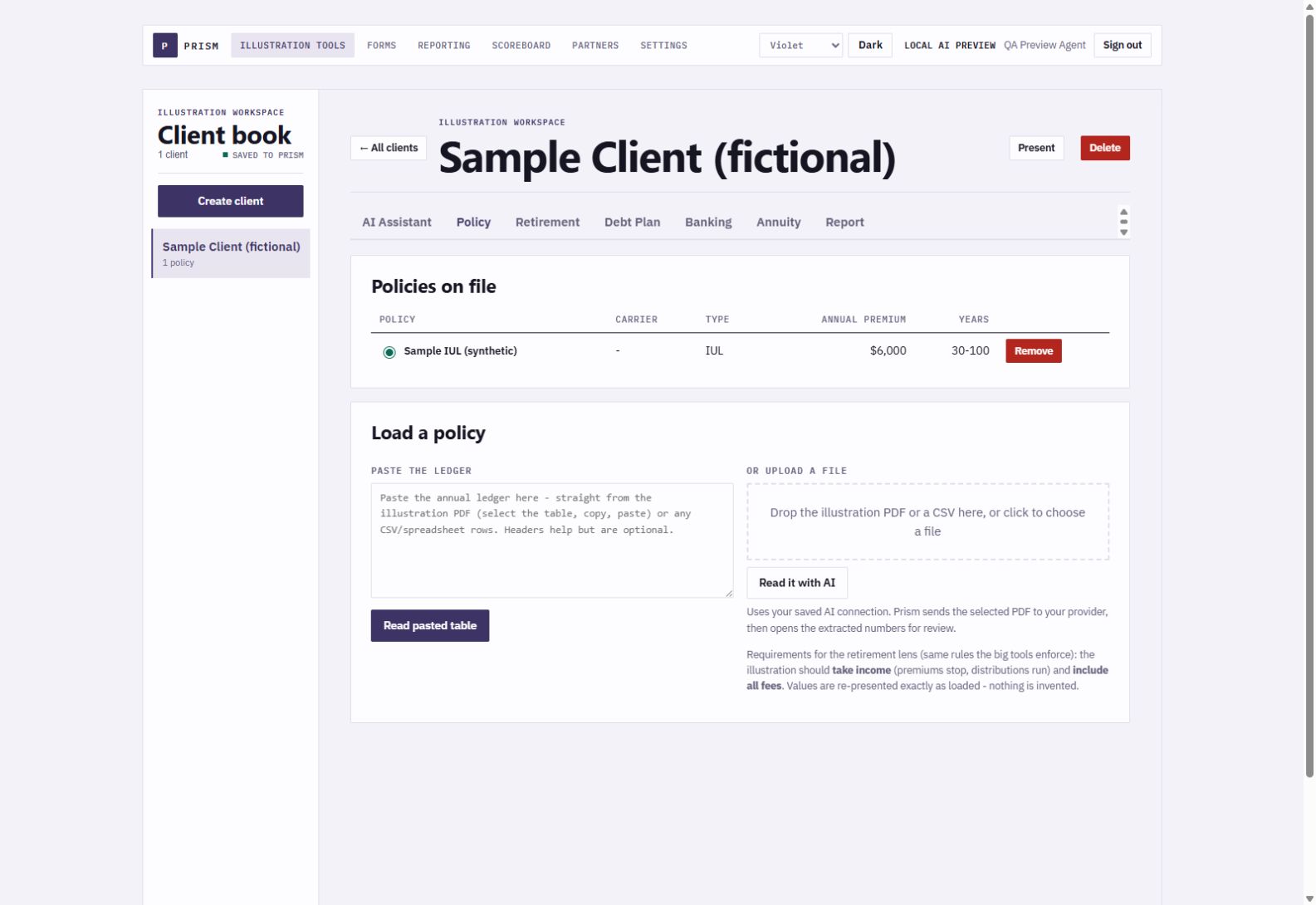
Current Prism interface with one synthetic demonstration policy.
Your illustration. Your questions.
Bring your Claude or OpenAI API key to Prism. Go from a carrier PDF to a source review, a conversation and hypothetical visual comparisons.
The assistant proposed two growth assumptions. Prism calculated each path from the same sample ledger. The chart shows their limits as well as their differences.
Use the figures to ask better questions, then review the source values, fees, taxes and assumptions before presenting.
Choose a carrier PDF for your selected workspace. AI extracts the ledger for your review.
Check the rows against the carrier document before saving. Missing or uncertain values need your attention.
Discuss goals and compare hypothetical growth, retirement, debt or banking assumptions using the inputs you have entered.
Prism's engines calculate the chart. You review the assumptions and choose whether to use them. The original carrier ledger stays intact.
Your key is encrypted and private to your signed-in Prism account. When you choose an AI action, Prism sends the selected document or chat through its server to your selected provider. API usage is billed by that provider. AI output requires agent review and does not replace a carrier illustration or suitability assessment.
The work behind the presentation
Four intake paths connect the conversation to owned CRM records and the right operating pipeline.
Personal Financial Review, life, annuity and new-agent forms collect the details in one place.
Contacts, intake notes and opportunities carry the responsible agent so follow-up has an owner.
Sales and Client pipelines follow the case. Licensing and Training keep a recruit's progress visible.
A policy submission is progress. Paid and delivered is the client win. Keep activity and production distinct.
Actual persisted demo records
These fictional test clients are saved in the CRM reference workspace. The synced status is visible on each form, so the next person can see what reached the CRM.
Book a guided demo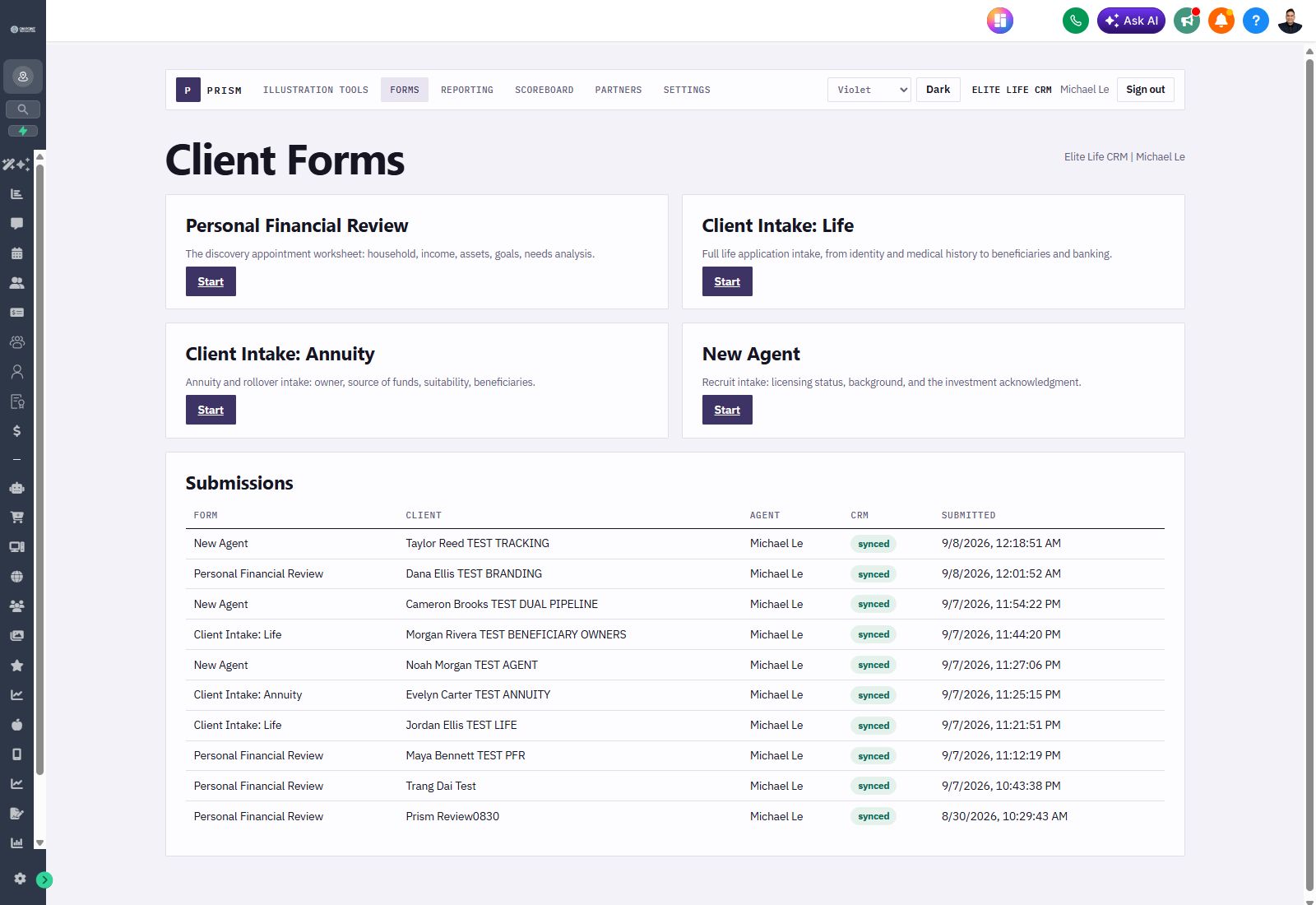
Product walkthrough
Scoreboard, Reporting, Forms, and connected records in the current violet workspace.
A narrated tour of Prism Illustration AI, hypothetical comparisons and connected forms in the current violet interface. Demonstration workspace with fictional client and policy examples.
Details that matter
Silent CRM access, email and password, or Google for an existing account. No shared team password.
Tenant and user identity come from the session. An agent cannot ask the URL for somebody else's rows.
Illustrations and client work follow the agent across devices inside the tenant boundary.
Public CRM media links never receive the sensitive form answers. The complete answers stay private.
Forms create the structured record. Presentations log a summary. Production rows can link to the client.
Prism reads the carrier illustration you already have. It does not sell a carrier database or charge per case.
Prism is included
$197 per month for Elite Life CRM, every seat included, or $2,127.60 per year with 10% off.